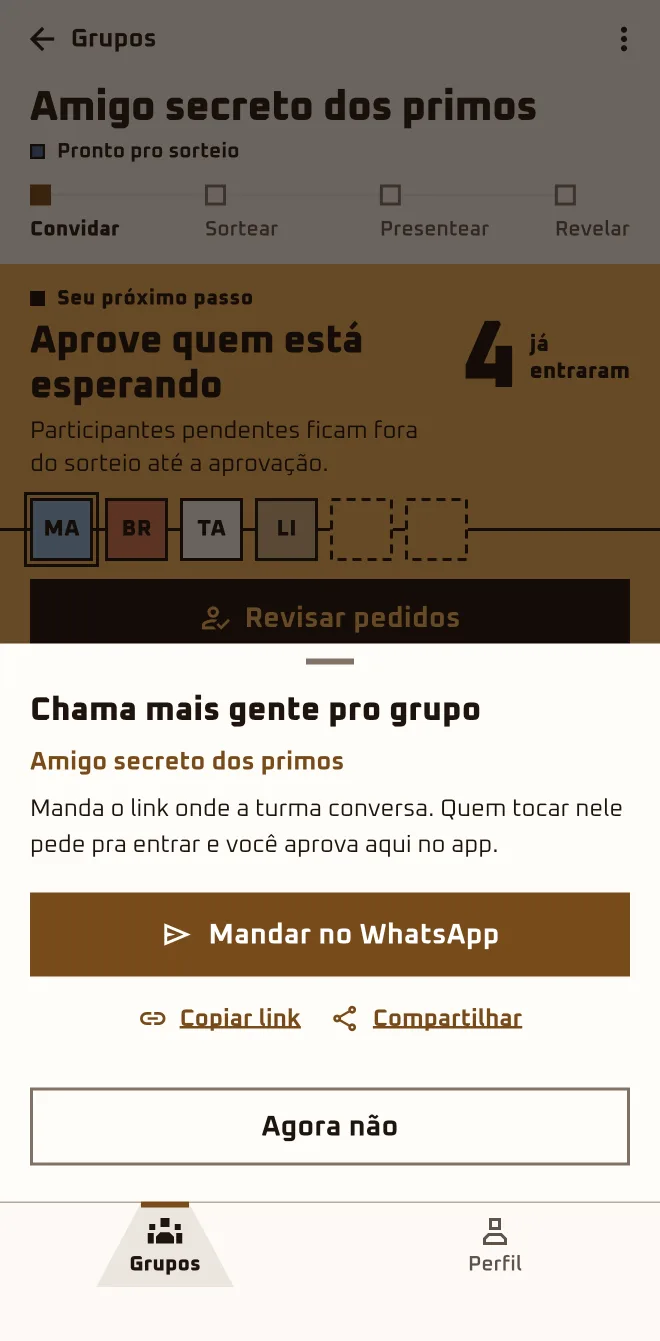
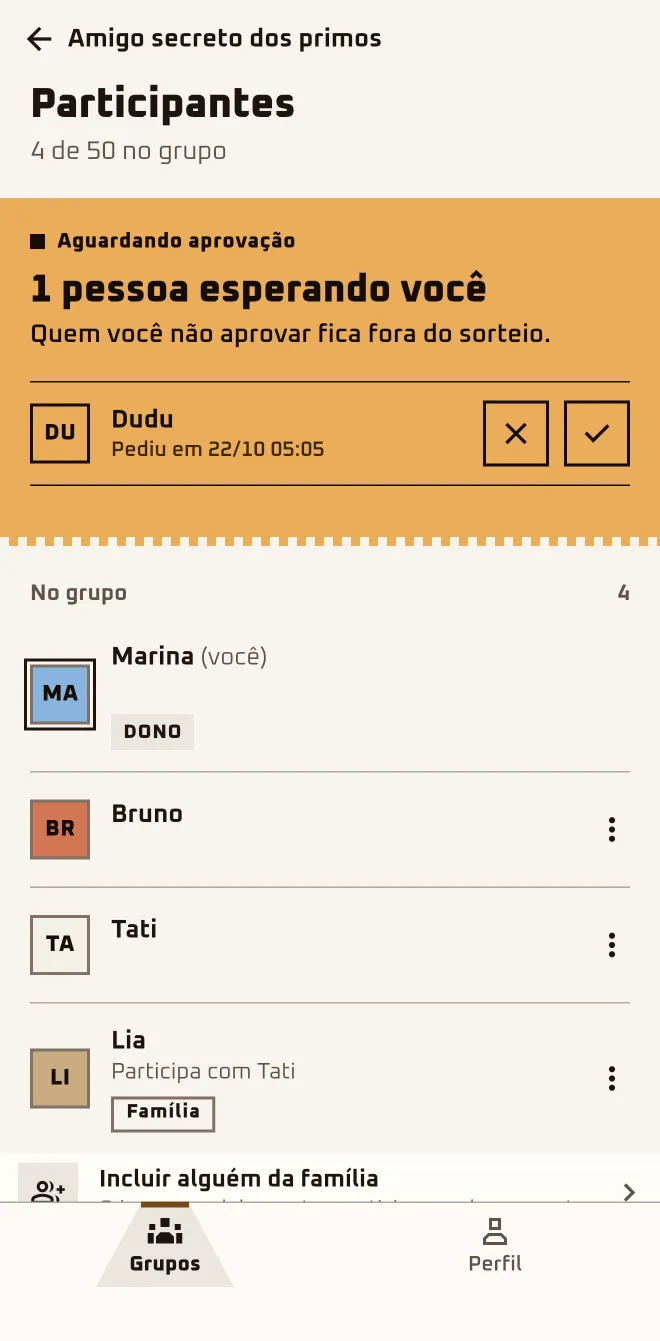
Marina sent the link to the family WhatsApp group. Within an hour, Bruno and Tati had asked to join, and the app pinged her with "Someone wants to join". She opened "Review requests" and let them both in; Dudu was still missing.
- Screen 1
 App screen 2.6.4 · pt-BR
 - Screen 2
 App screen 2.6.4 · pt-BR
 - Screen 3
 App screen 2.6.4 · pt-BR
I'm herethe group›Invite more people›Send on WhatsApp
I'm herethe group›Approve those who are waiting›Review requests›Waiting for approval
In the browserplay.oamigosecreto.app›the group›Invite people
Step by step
- 1
Send the invite
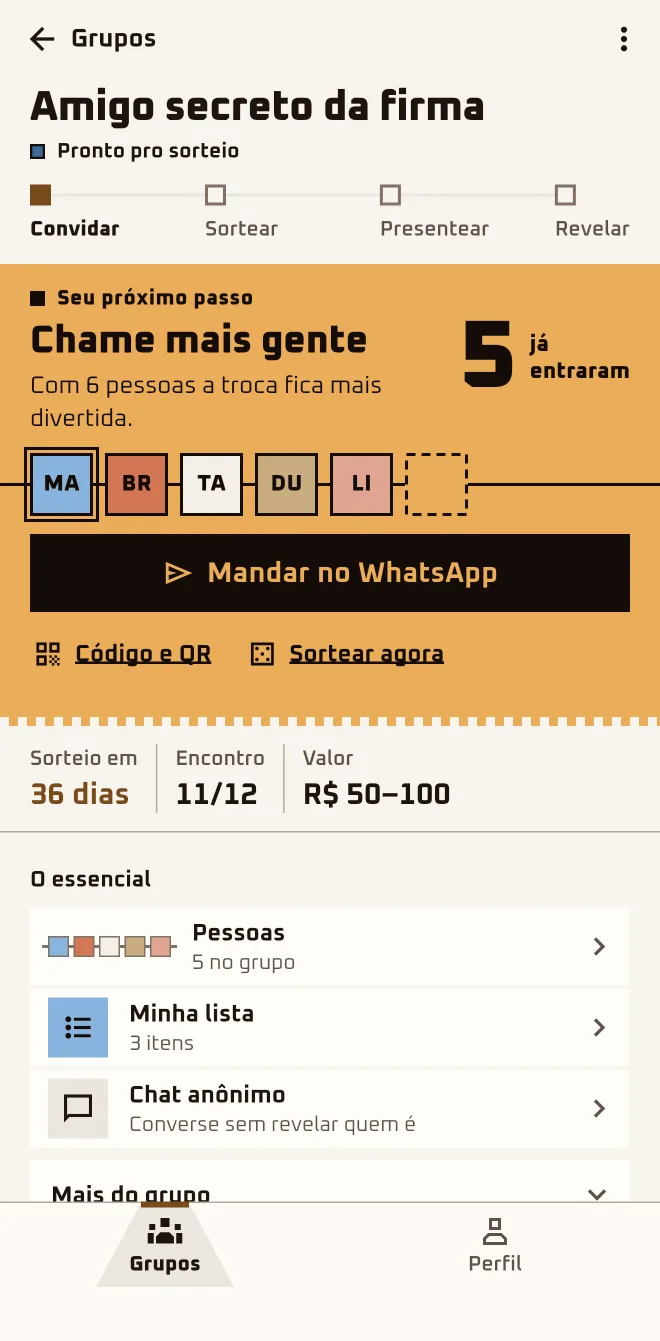
In the group, tap "Send on WhatsApp": the ready-made message goes out with the link. For anyone who would rather type or scan, tap "Code and QR".
- 2
Whoever taps lands in the queue
Anyone who opens the link asks to join and stays "Waiting" until you let them in. You get a "Someone wants to join" notification.
- 3
Let in whoever is waiting
Tap "Review requests": the check-mark square lets someone in, the X square rejects. With more than one person in the queue, "Approve all" shows up.
- 4
Close the door if you need to
In "People" › "Joining with the code", turn off "Accept new requests". If the link leaked, "Change invite code" makes the old links stop working.
- 5
The crew can invite too
Each person you let in gets their own link, and it leads to the same group. Whoever invites doesn't approve anyone: the request still comes to you.
Sent the link? Now just let them in.
Only the organizer approves, rejects, pauses joining and changes the code. Anyone "Waiting" only sees the first names of the people already in.
Questions about this chapter
Can we do a long-distance Secret Santa, just over WhatsApp and the app?
Yes. The link goes out on WhatsApp and each person asks to join from their own phone, wherever they are, in the browser or in the app; each person sees the result on their own device. The app comes in Portuguese, English and Spanish. Send the link and approve whoever asks.
I sent the link and nobody shows up in the group.
Anyone who taps the link asks to join and lands in the "Waiting for approval" queue: look for the "Approve those who are waiting" card and tap "Review requests". If the queue is empty, nobody has asked yet. Send it again from "More in this group" › "Resend invite" or, in the browser, from the "Invite kit".
Can I let people in without approving them?
In a regular group, no. Anyone who arrives always stays "Waiting" until you let them in. The exception is the invite to repeat a group that already ended: whoever accepts goes straight in. With more than one person in the queue, tap "Approve all" or, when you go to draw names, "Approve all and draw".
Someone I don't know asked to join.
In the "Waiting for approval" queue, tap the X and confirm with "Reject". They get "Request declined" and, after two rejections in the same group, they can't ask again. If the person already got in, open their menu in "People": that's where you'll find "Report profile" and "Block" followed by their first name.
I approved the wrong person. Can I take them out?
Before the draw, yes: in "People", open the person's menu, tap "Remove from group" and confirm. They get a notification and drop off the list. After the draw nobody leaves and nobody gets removed, not even by the organizer. Check the list before you tap "Draw names now".
See "Trouble?"How many people do we need before drawing names?
The minimum is 2 approved people; with 3 it's a real surprise. With 2, "Draw anyway" is tucked away in "More in this group" › "Management"; from 3 on, "Draw names now" shows up. Anyone "Waiting" doesn't count, and the group holds up to 50 approved people. Invite one more before you draw.
How late can people still join?
Until the draw. After that, and also while a Democratic Draw vote is open, nobody new gets in. Anyone still "Waiting" when the draw happens is removed from the group. Work through the queue before you tap "Draw names now".