This year Marina made up her mind: no paper slips in a bag, no uncle drawing names in the WhatsApp group. She created the group "Cousins' Secret Santa" on her phone with a name, two dates, the gift budget and the vote turned on.
- Screen 1
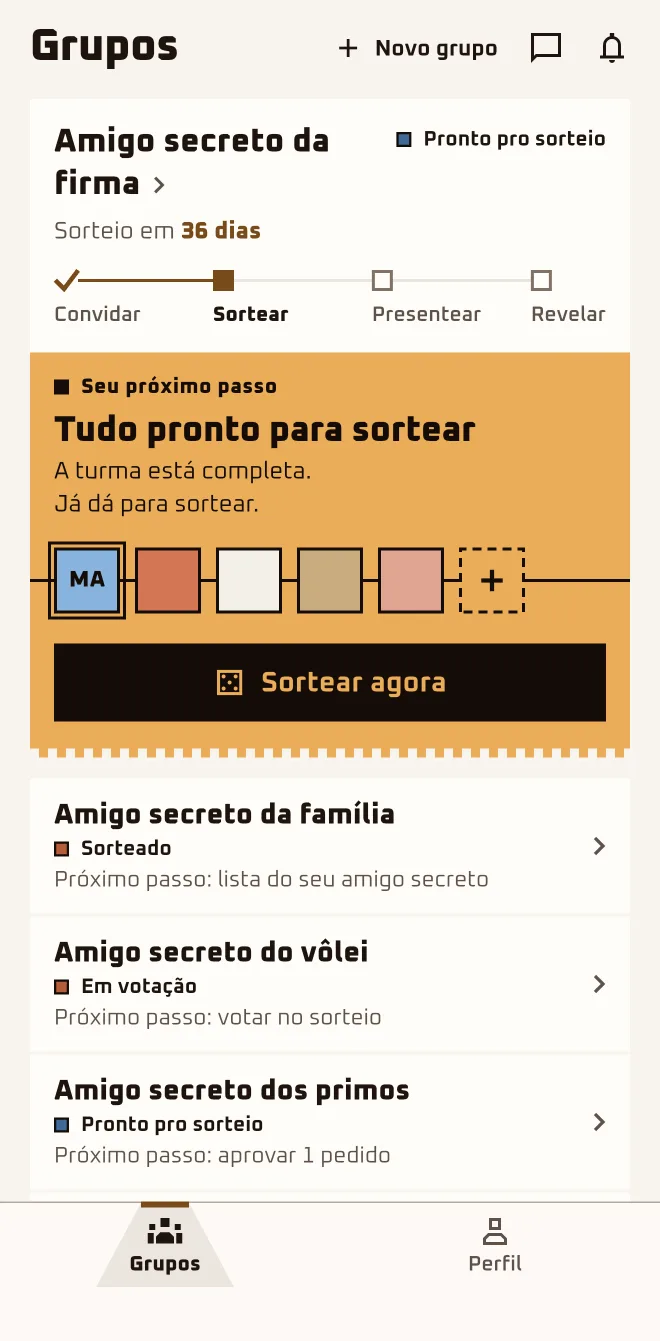 App screen 2.6.4 · pt-BR
 - Screen 2
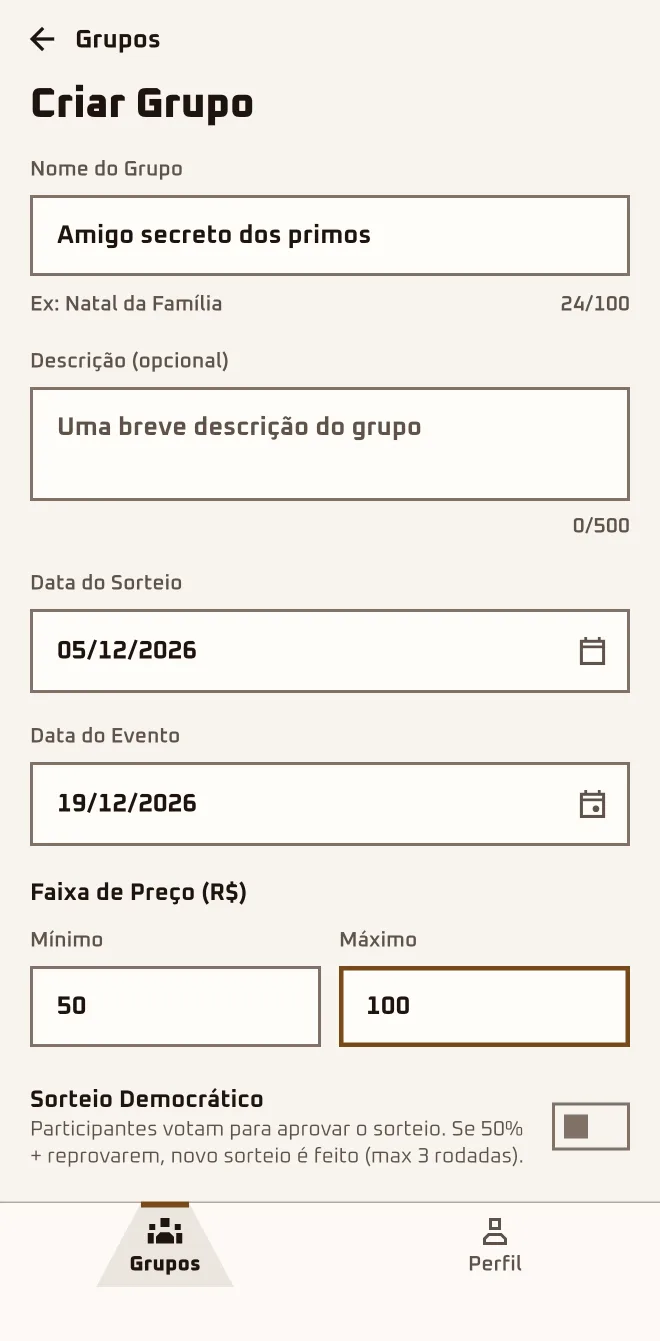 App screen 2.6.4 · pt-BR
 - Screen 3
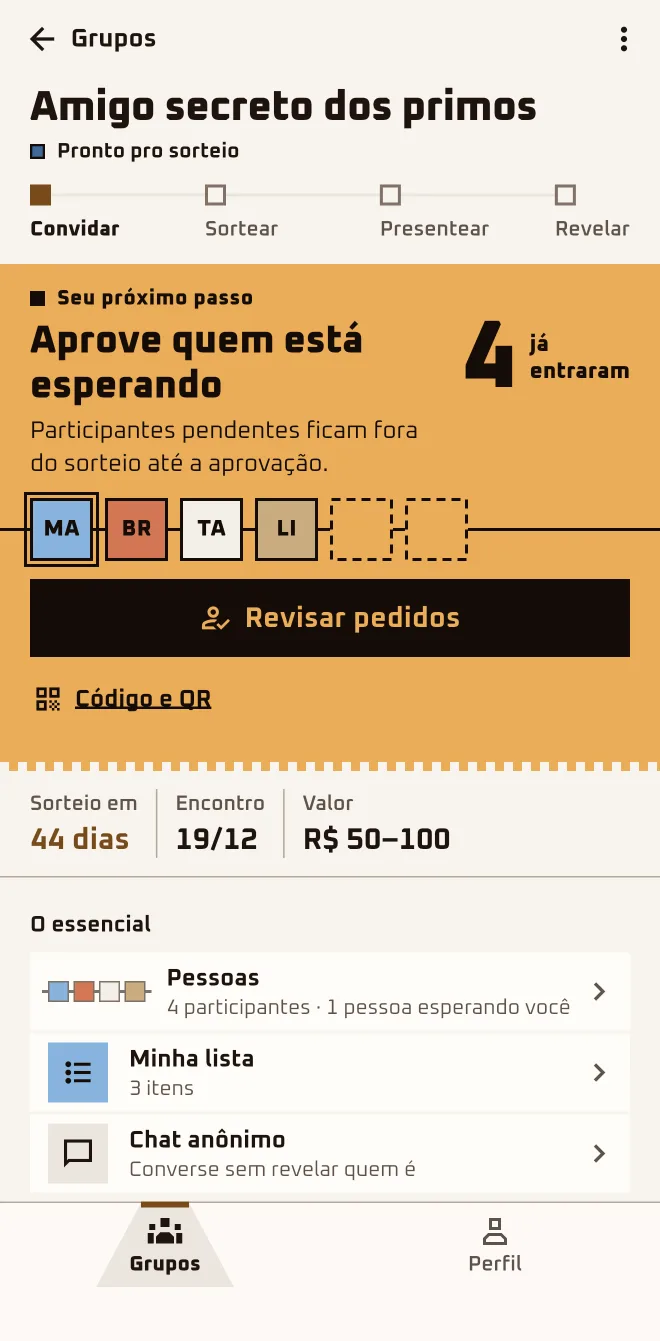 App screen 2.6.4 · pt-BR
I'm hereGroups›New group›Create a group›Create Group
In the browserplay.oamigosecreto.app›New group›Create and invite
Step by step
- 1
Tap "New group"
In the "Groups" tab, tap "New group" and pick "Create a group". The other option, "I have a code", is for people who got an invite.
- 2
Name the group
The "Group Name" is required and shows up in the invite. The "Description (optional)" is where you tell the crew how it's all going to work.
- 3
Set the two dates
The "Draw Date" can be anywhere from tomorrow to a year ahead; the "Event Date" is the get-together and comes after the draw.
- 4
Agree on the budget
Under "Price Range (R$)", fill in "Minimum" and "Maximum". The app starts you off with a suggested range; swap it for the amount the crew agreed on.
- 5
Decide on the vote and create the group
With the "Democratic Draw" switch on, the crew votes on the result after the draw. Tap "Create Group": the group opens with the invite ready.
Only the organizer can change the plan.
In the app form this field is labeled "Event Date"; in the browser, "Reveal date". Here in the guide it is the get-together: the day you swap gifts.
Questions about this chapter
How does a Secret Santa work in the app, start to finish?
The organizer creates the group, sends the link and lets in whoever asks to join. Each person builds a wishlist, and the organizer draws names without seeing the pairs. Each person opens the envelope, sends anonymous hints and buys the gift. On the day, the organizer reveals who drew whom; the first tap is "New group".
What dates do I put in?
Two, and both are required: the "Draw Date" and the "Event Date", which is the get-together and comes after the draw. The app suggests both, but go ahead and change them to the days the crew agreed on. Leave some room between the two: that's the time to buy the gift and open the journey's daily doors.
Can I change the date or the budget later?
Yes, and only the organizer can. Before the draw, name, description, dates and budget can all change. After the draw, the "Draw Date" locks, the "Event Date" can only move forward and the budget can still change. To make a change, open the group and tap "More options" › "Edit".
Should I turn on the Democratic Draw or not?
Turn it on if your crew likes to have a say. The organizer still draws the names the same way; every participant with an account sees who they drew and votes: approve or ask for another. Without the switch, the draw is final right away. It only exists in the creation form, so decide before you tap "Create Group".
See "Draw names"How many people can a group hold?
Right now a group holds up to 50 approved people; anyone marked "Waiting" doesn't take up a spot. It only takes 2 to draw names, and with 3 it turns into a surprise. Bigger crew than that? Create a second group.
Can I create the group on a computer?
Yes. Open play.oamigosecreto.app in your browser and sign in with Google or Apple; your account and your groups are the same as in the app. Restrictions, anonymous chat, hints and the Waiting Room are app-only. Click "New group", fill in name, description, dates and budget and confirm with "Create and invite".
Does creating the group cost anything?
No. Creating the group, inviting people and drawing names won't cost you anything, in the app or in the browser. Just open "Groups" and tap "New group".