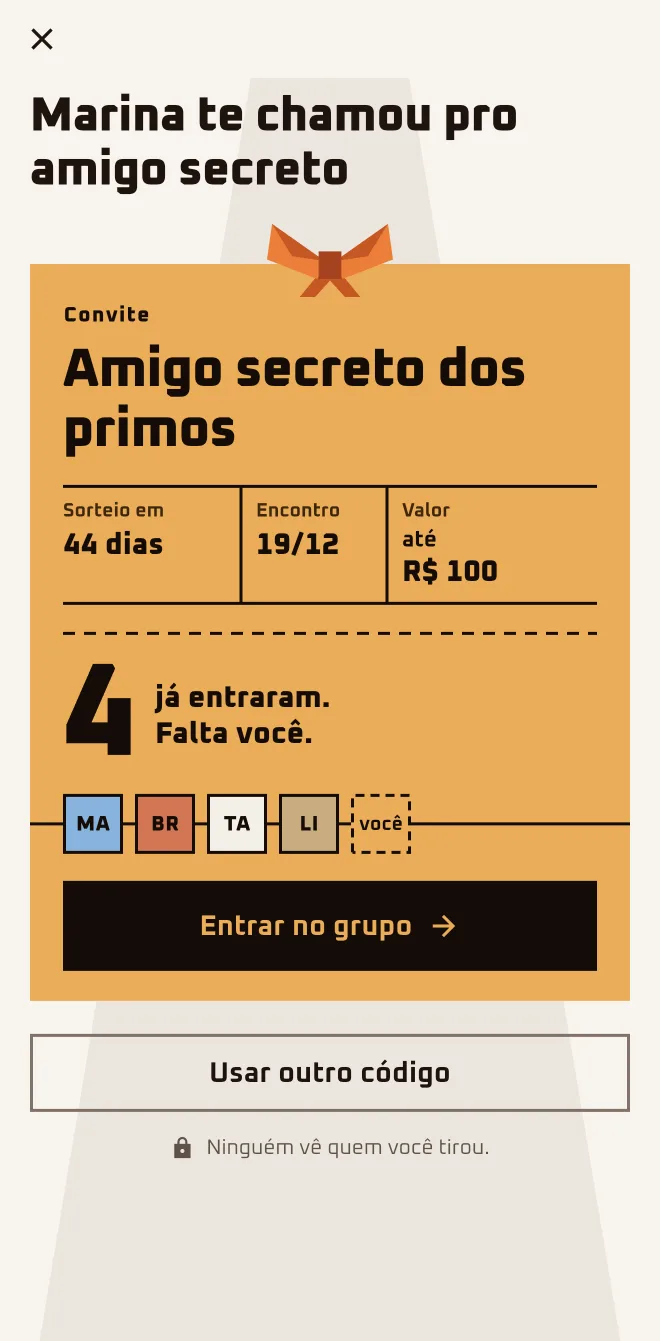
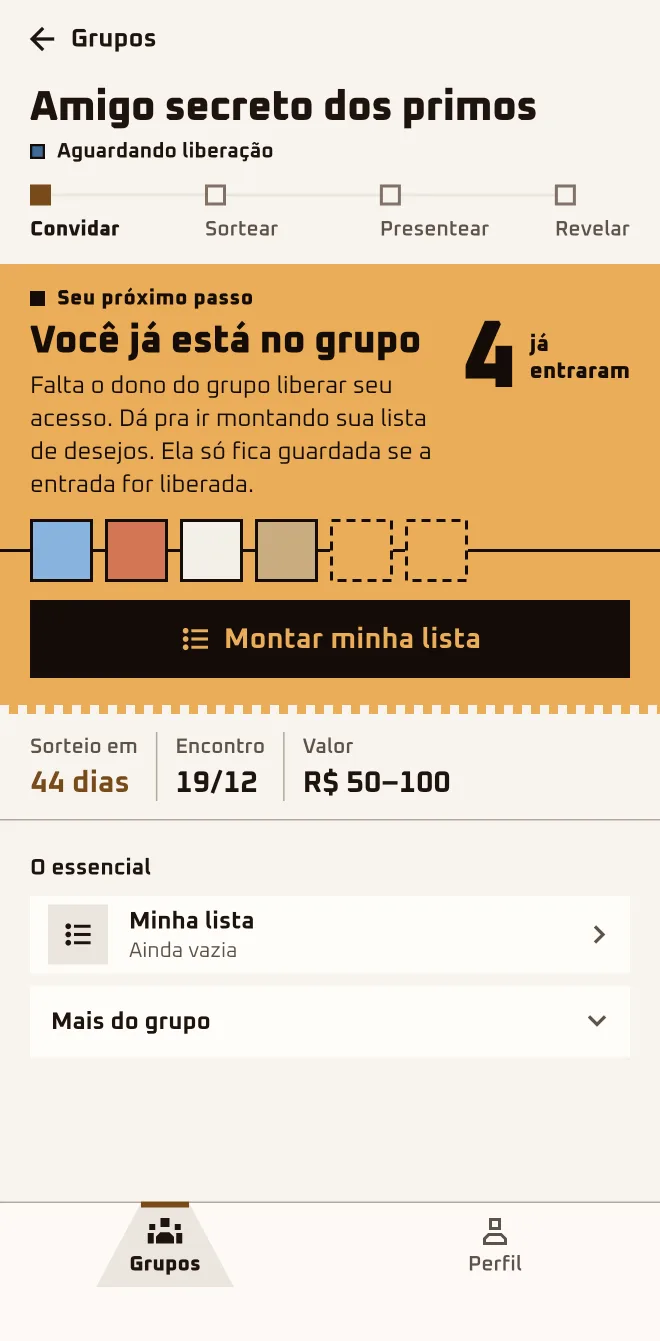
Marina dropped the link in the family chat: "Jump in, the draw is on the 5th." Bruno tapped the link on the bus, without the app on his phone, and joined right there in the browser. Now he's "Waiting" for Marina to let him in.
- Screen 1
 App screen 2.6.4 · pt-BR
 - Screen 2
 App screen 2.6.4 · pt-BR
 - Screen 3
 App screen 2.6.4 · pt-BR
I'm hereWhatsApp›invite link›Join now, no download needed›Google or Apple›Join the group
I'm hereOn a computer›invite link›Join in the browser›Google or Apple›Join the group
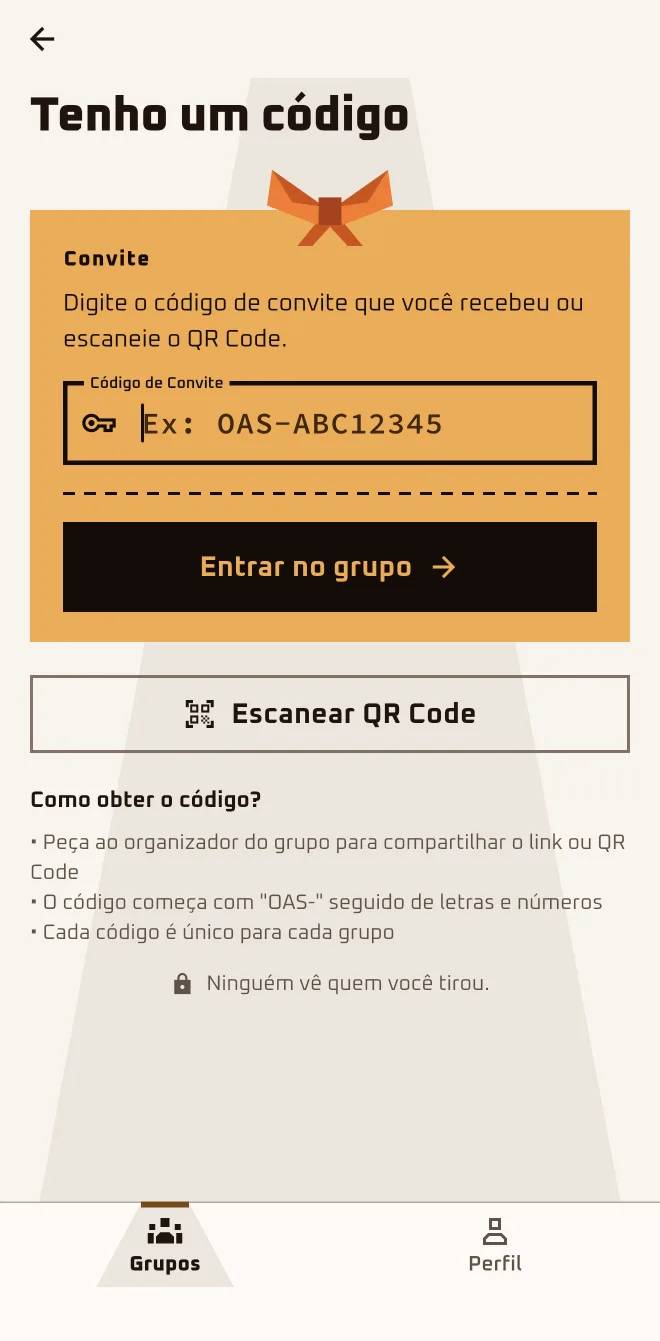
I'm hereGroups›New group›I have a code›Invite Code›Join Group
Step by step
- 1
Tap the link and look at the invite
The page shows the group's name, the organizer's first name, how many people have already joined, the draw date and the gift price range.
- 2
Pick: browser or app
The big button says "Join now, no download needed" (on a computer, "Join in the browser"). "I'd rather use the app" takes you to the download page.
- 3
Sign in with Google or Apple
There's no password to make up: you sign in with Google or Apple. You need to be 13 or older, and app and browser ask for your birth date.
- 4
Ask to join and wait
Tap "Join the group". While "Waiting" for the organizer to let you in, you can tap "Start my wishlist" (in the browser, "Build my wishlist").
- 5
Have a code? Type it in the app
On the Groups tab, tap "New group" and "I have a code". Type it in the "Invite Code" field and tap "Join Group" or "Scan QR Code".
Works in your browser. Nothing to install.
Anyone who joins stays "Waiting" until the organizer lets them in. If the draw happens first, you sit this one out.
Questions about this chapter
Do I need to download the app to take part?
No. The big button on the invite gets you in through the browser: on your phone it says "Join now, no download needed"; on a computer, "Join in the browser". Anonymous chat, hints and phone notifications are only in the app. If you'd like, tap "I'd rather use the app": the download page comes with your code on it.
I joined and it says Waiting. Is it stuck?
It's not stuck. Anyone who joins through the link or the code stays "Waiting" until the organizer lets them in, and the app lets you know when that happens. If it's taking a while, tap "Remind the owner" (in the browser, "Let the owner know"): the screen shows when you can send another one.
Can I start my wishlist while I wait?
You can. The list is only kept if you're let in; if you tap "Leave", the list you started there is deleted. Tap "Start my wishlist" and start adding gifts.
It says the group already did the draw. Am I out?
This time, yes. After the draw nobody else gets in: the app shows "This group's draw already happened. It's too late to join." Anyone still "Waiting" when the draw happens is removed from the group. Your best bet is to ask the organizer to set up another group, or to create your own and get the crew in.
I have a code, not a link. Where do I type it?
In the app, go to the Groups tab: tap "New group", then "I have a code", type it in the "Invite Code" field and tap "Join Group". In the browser, open play.oamigosecreto.app/join, paste the code or the whole link in the "Invite link or code" field and tap "Join Group".
I joined in the browser. Is it the same account in the app?
It's the same one. Browser and app sign in with the same Google or Apple account and show the same groups; there's no email-and-password login anywhere. Install the app and sign in with the same Google or Apple you used in the browser: the group is already there.