Dudu wants to know what shirt size the person he drew wears and sends the quick message "What's your clothing size?". On the other end, the question arrives signed "Your Secret Santa". Nobody has to guess.
- Screen 1
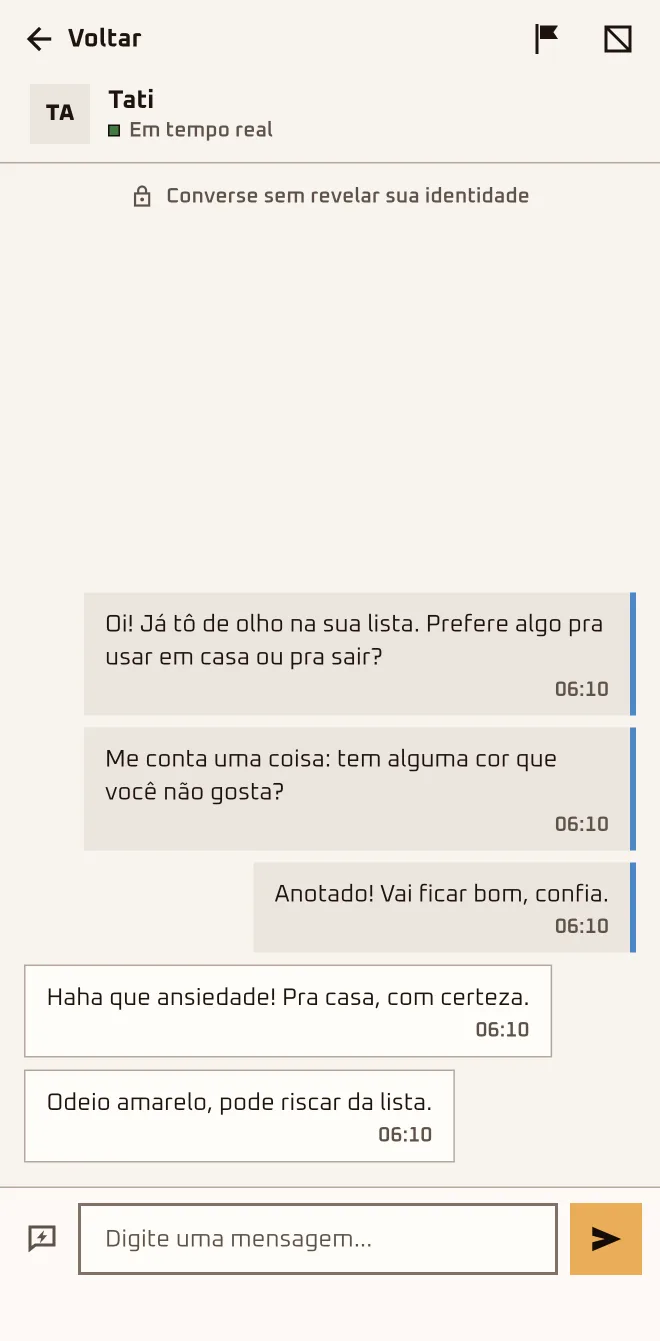 App screen 2.6.4 · pt-BR
 - Screen 2
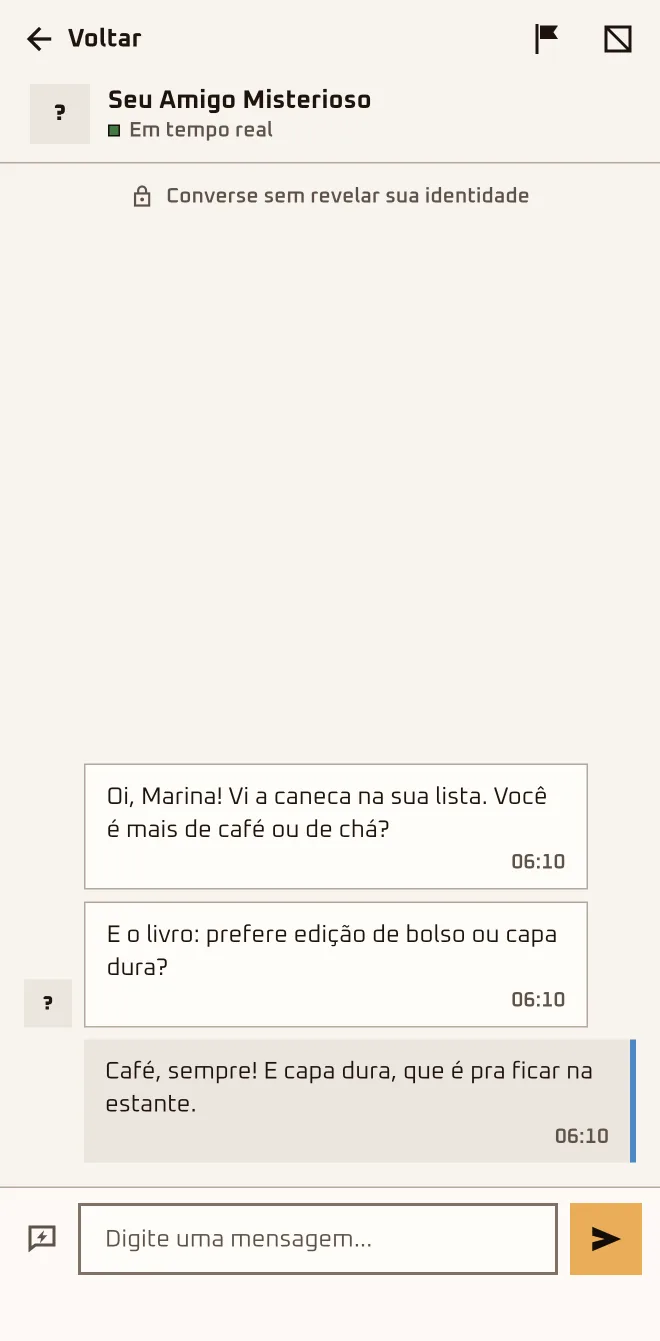 App screen 2.6.4 · pt-BR
 - Screen 3
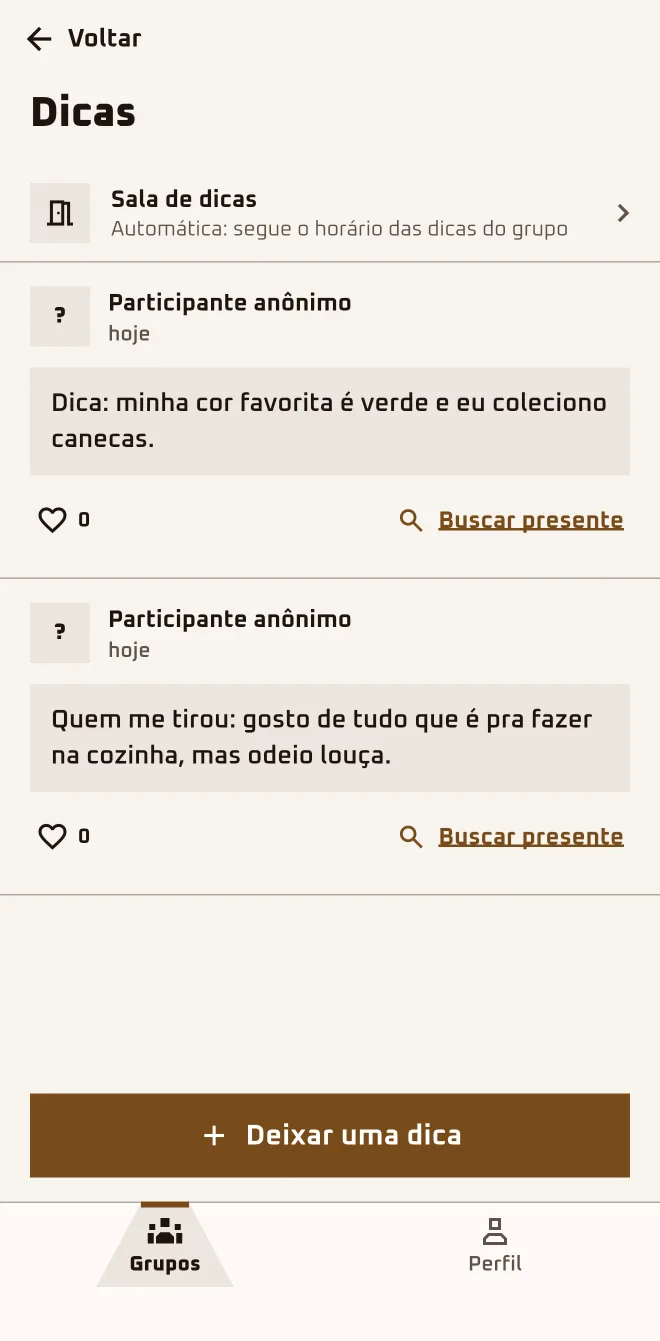 App screen 2.6.4 · pt-BR
I'm herethe group›Anonymous chat›Anonymous chats›Chat with Match / Chat with who drew you
I'm herethe group›More in this group›Hints›Leave a hint
I'm hereGroups›Chats
Step by step
- 1
Tap "Anonymous chat"
This opens "Anonymous chats": "Chat with Match" is for who you drew; in "Chat with who drew you" the messages arrive signed "Your Secret Santa".
- 2
Pick a quick message or write your own
Tap "Show quick messages" to grab one or type your own. The app makes you wait 30 seconds between messages, and moderation stops offensive text.
- 3
Leave a hint for the group
Under "More in this group" › "Hints" › "Leave a hint", the hint goes on the board as "Anonymous participant" for the whole group. Likes carry no name.
- 4
Crossed a line? Press and hold the message
On a received message: "Report message" or "Block Your Secret Santa". You can block whoever drew you without knowing who; the app doesn't tell them.
The chat opens after the draw and runs in real time with the conversation open. Away from it, the sign is the new-message dot in "Chats" and on the group card: a new message doesn't send a notification to your phone.
Questions about this chapter
I sent a message and the person didn't reply. Did they get it?
It depends where the person is: with the chat open they see it at once; with the app closed, nothing alerts them, and the reply comes when they're back. On your end, if the header says "Offline", the message waits in a banner: "Message not sent. It will go out as soon as you're back online." To hurry it, tap "Try now".
Do I get a notification when a message comes in?
No. An anonymous chat message doesn't show up as a notification on your phone. With the app open on another screen, the "Chats" bubble at the top and the group card get a new-message dot. After the draw, open the app every so often and tap "Chats".
Can I find out who drew me through the chat?
Not in the chat. In "Chat with who drew you" the person shows up as "Your Secret Santa", no name, no photo, even after the reveal. In a group of 2 each one knows who drew them, and with 3 you can work it out; outside the app, nothing stops someone from telling. Reply there and save the mystery for the get-together.
Are a hint and a message the same thing?
No. A message goes through the anonymous chat, one-on-one: you and the person you drew, or you and the person who drew you. A hint goes to the whole group's "Hints" board (some screens say clue). To talk to one person, tap "Anonymous chat"; to put a hint out, go to "More in this group" › "Hints" › "Leave a hint".
Why do I have to wait 30 seconds?
The chat makes you wait between messages: right now it's 30 seconds, and if you try sooner the app tells you how many seconds are left. The quick messages skip text moderation but follow the same wait. Put everything you want to say into one message and send it at once.
I got a nasty message. What do I do?
Press and hold the message you received and pick "Report message" or "Block Your Secret Santa" (in the other chat, "Block" plus the name). The report goes to the team with the message attached; blocking cuts off that chat. You can undo it under Profile › "Blocked people". If it's serious, do both: report and block.
Can we chat before the draw?
Not the chat. Before the draw, tapping "Anonymous chat" only shows "The anonymous chat opens after the draw." Hints, though, are already open: any approved participant can leave one under "More in this group" › "Hints" and the whole group reads it. To warm up the crew, tap "Leave a hint" and drop one about yourself.